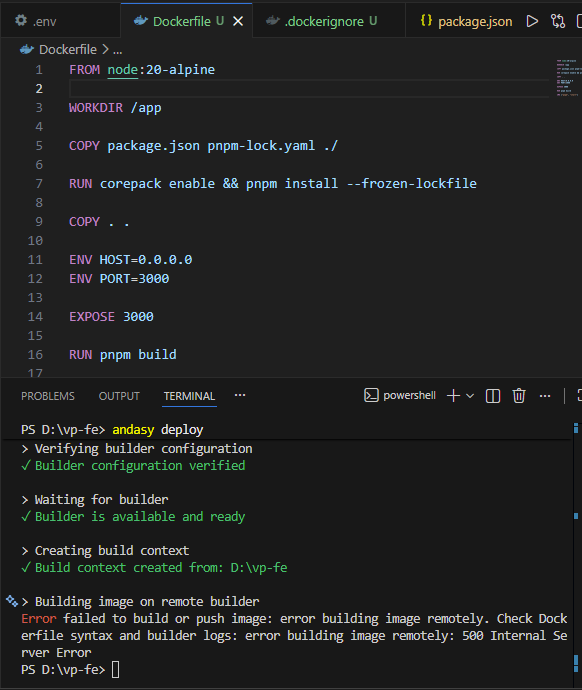
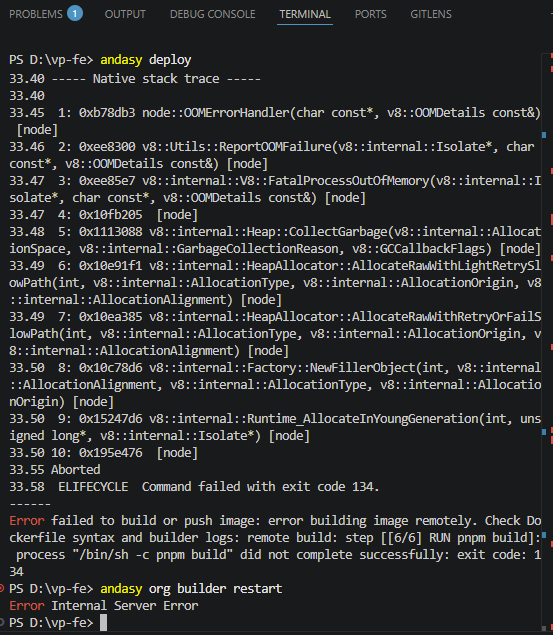
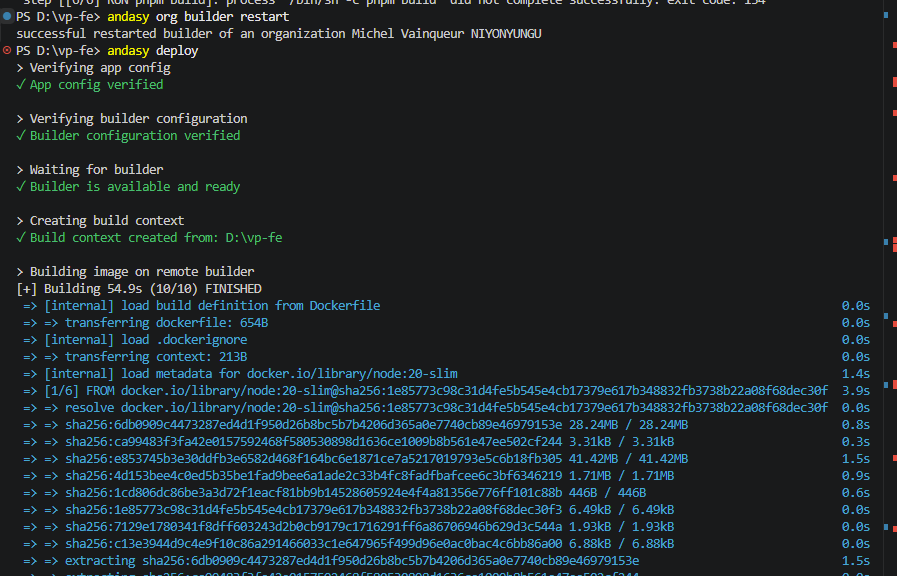
Hello , i am getting this error
Building image on remote builder
Error failed to build or push image: error building image remotely. Check Dockerfile syntax and builder logs: error building image remotely: 500 Internal Server Error
Hello , i am getting this error
Building image on remote builder
Error failed to build or push image: error building image remotely. Check Dockerfile syntax and builder logs: error building image remotely: 500 Internal Server Error
UPDATES
The App is now Running
Hello ,
I need your support , putting the custom domain on andasy .
I have my domain on Namecheap , and i have added it on andasy and they provided the A record which i added on namecheap , but now its been over 24 hours . it’s not there yet .
i would appreciate your support
Hi @vainqueur,
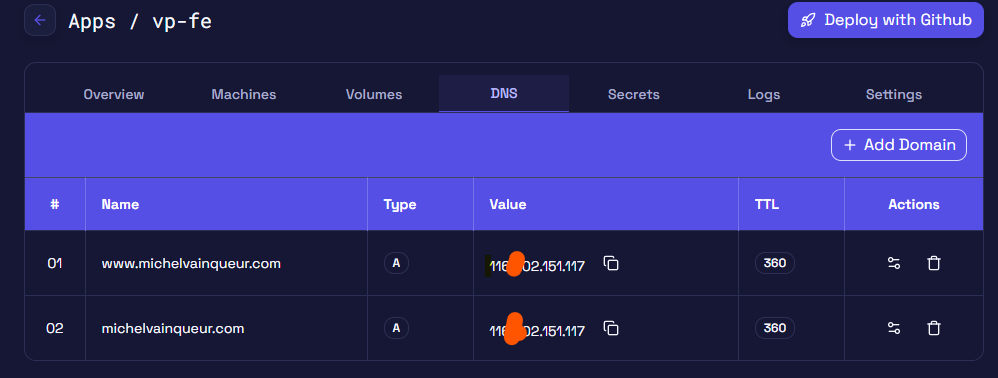
The registered domain on andasy is www.michelvainqueur.com but your dns records on you registrar you have registered for @ (the root of your domain) which is different.
If you want both you should register both domains on andasy and add their suggested A records on your registrar dns records:
Hello,
Thank you for your guidance earlier.
I would like to provide an update and request further support regarding my setup:
Currently, michelvainqueur.com is live and working correctly. However,[www.michelvainqueur.com] is still not resolving.
I have:
My goal is for both domains to work seamlessly, with:
Could you please advise on the correct configuration to achieve this?
I am also encountering an issue on my frontend application:
I have already:
Despite this, the issue persists.
I would appreciate your support in resolving both issues.
Hi @vainqueur,
Running dig A www.michelvainqueur.com i don’t see any record. On namecheap you need to add an A record for the www subdomain. That is why it is not being resolved.
For the env issue, nextjs injects environment variables at build time, so the env you need should be defined in your dockerfile above your build command or you can use a package next-runtime-env that loads your environment at runtime.
Dockerfile example:
...Previous config

ENV NEXT_PUBLIC_API_URL= your-api-url

# Build application
RUN bun run build

...Remaining config
Hello,
Thank you for your previous support.
I would like to confirm that the domain configuration issue has now been resolved successfully. Both michelvainqueur.com and www.michelvainqueur.com are working as expected.
However, I am currently facing a deployment/build issue on Andasy.
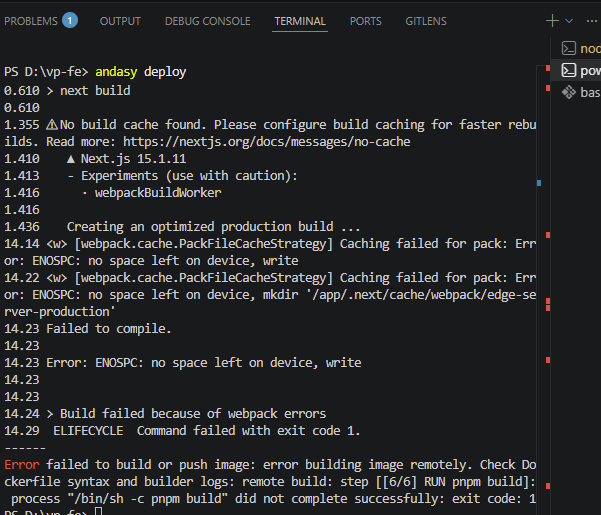
During the Docker build step (RUN pnpm build), the process fails with the following error:
ENOSPC: no space left on device, write
From my investigation:
.dockerignore are properly setKindly support me on thisissue and let me know if any adjustments are required from my side as well.
Hello @vainqueur ,
Can you restart your builder using the andasy org builder restart command and then redeploy again?
Do you mind sharing the output of this command andasy org builder info ?
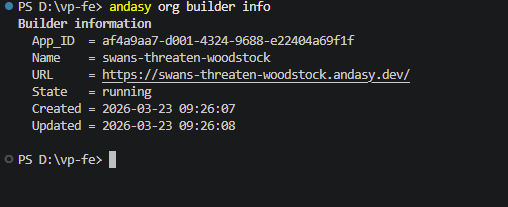
Have you tried redeploying after restarting your builder?
Based on the screenshot, it looks like your builder is available now.
Try to restart it again the issue with internal server error should be resolved by now.
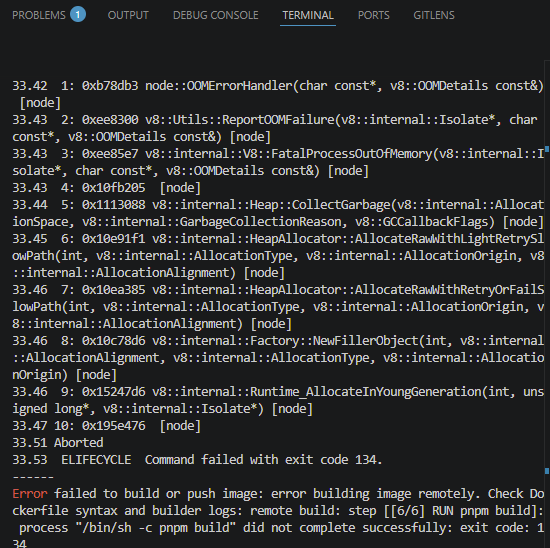
Please provide a screenshot of the full error log message you are getting so that we might be able to help you.
PS D:\vp-fe> andasy deploy
Verifying app config
✓ App config verified
Verifying builder configuration
✓ Builder configuration verified
Waiting for builder
✓ Builder is available and ready
Creating build context
✓ Build context created from: D:\vp-fe
Building image on remote builder
[+] Building 53.9s (10/10) FINISHED
=> [internal] load build definition from Dockerfile 0.0s
=> => transferring dockerfile: 654B 0.0s
=> [internal] load .dockerignore 0.0s
=> => transferring context: 213B 0.0s
=> [internal] load metadata for Docker Hub Container Image Library | App Containerization 0.7s
=> [1/6] FROM Docker Hub Container Image Library | App Containerization 0.0s
=> [internal] load build context 0.1s
=> => transferring context: 1.90MB 0.0s
=> CACHED [2/6] WORKDIR /app 0.0s
=> [3/6] COPY package.json pnpm-lock.yaml ./ 0.0s
=> [4/6] RUN corepack enable && pnpm install --frozen-lockfile 15.9s
=> [5/6] COPY . . 0.0s
=> ERROR [6/6] RUN pnpm build 37.0s
[6/6] RUN pnpm build:
0.635
0.635 > vainqueur-portfolio@0.1.0 build /app
0.635 > next build
0.635
1.419No build cache found. Please configure build caching for faster rebuilds. Read more: No Cache Detected | Next.js
1.491 ▲ Next.js 15.1.11
1.494 - Experiments (use with caution):
1.498 · webpackBuildWorker
1.498
1.517 Creating an optimized production build …
36.75
36.75 <— Last few GCs —>
36.75
36.75 [18:0x62d3270] 35363 ms: Mark-Compact (reduce) 253.6 (261.0) → 253.3 (261.0) MB, 275.66 / 0.00 ms (average mu = 0.258, current mu = 0.217) allocation failure; GC in old space requested
36.75 [18:0x62d3270] 35723 ms: Mark-Compact (reduce) 253.7 (261.0) → 253.4 (261.0) MB, 288.44 / 0.00 ms (average mu = 0.228, current mu = 0.199) allocation failure; GC in old space requested
36.75
36.75 <— JS stacktrace —>
36.75
36.75 FATAL ERROR: Ineffective mark-compacts near heap limit Allocation failed - JavaScript heap out of memory
36.75 ----- Native stack trace -----
36.75
36.82 1: 0xb78db3 node::OOMErrorHandler(char const*, v8::OOMDetails const&) [node]
36.83 2: 0xee8300 v8::Utils::ReportOOMFailure(v8::internal::Isolate*, char const*, v8::OOMDetails const&) [node]
36.83 3: 0xee85e7 v8::internal::V8::FatalProcessOutOfMemory(v8::internal::Isolate*, char const*, v8::OOMDetails const&) [node]
36.84 4: 0x10fb205 [node]
36.84 5: 0x10fb794 v8::internal::Heap::RecomputeLimits(v8::internal::GarbageCollector) [node]
36.85 6: 0x1112684 v8::internal::Heap::PerformGarbageCollection(v8::internal::GarbageCollector, v8::internal::GarbageCollectionReason, char const*) [node]
36.86 7: 0x1112e9c v8::internal::Heap::CollectGarbage(v8::internal::AllocationSpace, v8::internal::GarbageCollectionReason, v8::GCCallbackFlags) [node]
36.87 8: 0x10e91f1 v8::internal::HeapAllocator::AllocateRawWithLightRetrySlowPath(int, v8::internal::AllocationType, v8::internal::AllocationOrigin, v8::internal::AllocationAlignment) [node]
36.87 9: 0x10ea385 v8::internal::HeapAllocator::AllocateRawWithRetryOrFailSlowPath(int, v8::internal::AllocationType, v8::internal::AllocationOrigin, v8::internal::AllocationAlignment) [node]
36.87 10: 0x10c69a6 v8::internal::AllocateRaw(int, v8::internal::AllocationType, v8::internal::AllocationAlignment) [node]
36.89 11: 0x10b7e4a v8::internal::FactoryBasev8::internal::Factory::AllocateRawArray(int, v8::internal::AllocationType, v8::internal::AllocationAlignment) [node]
36.89 12: 0x10b7fb4 v8::internal::FactoryBasev8::internal::Factory::NewFixedArrayWithFiller(v8::internal::Handlev8::internal::Map, int, v8::internal::Handlev8::internal::Oddball, v8::internal::AllocationType) [node]
36.90 13: 0x13e7d0a v8::internal::OrderedHashTable<v8::internal::OrderedHashSet, 1>::Allocate(v8::internal::Isolate*, int, v8::internal::AllocationType) [node]
36.91 14: 0x13e7db0 v8::internal::OrderedHashTable<v8::internal::OrderedHashSet, 1>::Rehash(v8::internal::Isolate*, v8::internal::Handlev8::internal::OrderedHashSet, int) [node]
36.92 15: 0x1519923 v8::internal::Runtime_SetGrow(int, unsigned long*, v8::internal::Isolate*) [node]
36.92 16: 0x195e476 [node]
36.96 Aborted
36.98 ELIFECYCLE Command failed with exit code 134.
Error failed to build or push image: error building image remotely. Check Dockerfile syntax and builder logs: remote build: step [[6/6] RUN pnpm build]: process “/bin/sh -c pnpm build” did not complete successfully: exit code: 134
PS D:\vp-fe>
Hi @vainqueur, this is because your project is consuming a lot of memory to build. Can you try building with GitHub actions and see if the build pass?